Live v1.0 — Now on App Store & Play Store

Queue. Code. Anytime.

Queue instructions, stream AI responses in real-time, manage git, and run multi-step automations — all from your phone. End-to-end encrypted. No account required.
$ npm i @swishfoundry/qew
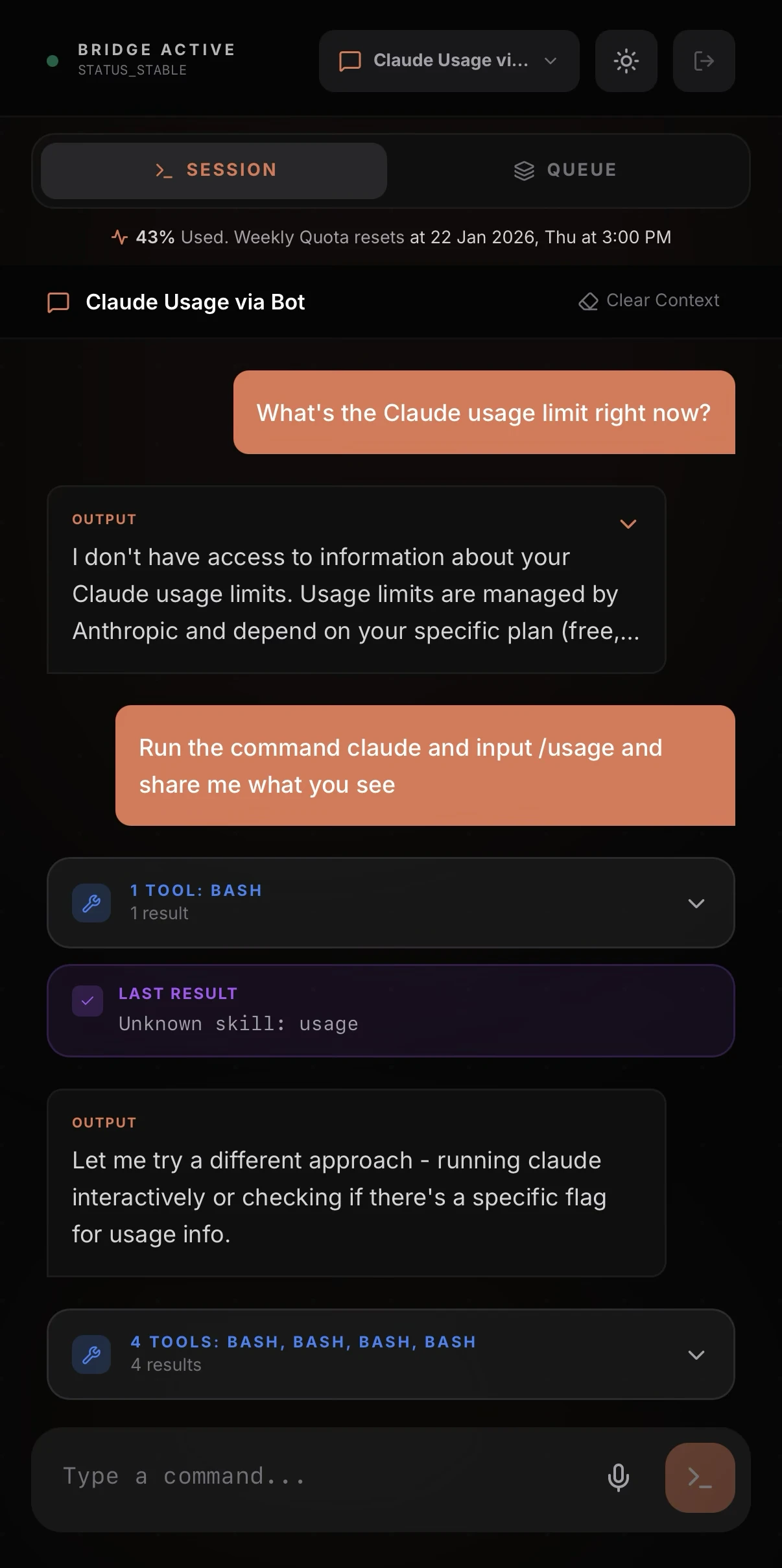
Qew app screenshot

Built for vibecoding

Connect & Control
QR Pairing
Scan to connect. No accounts needed.
4 Connection Modes
Local, Relay, Host with TLS, or Tunnel via ngrok, Cloudflare, and Tailscale.
Bidirectional Sync
App, CLI, and VS Code extension stay in sync. Instructions appear everywhere instantly.
Multi-Session
Run parallel sessions and switch between them without losing context.
AI & Automation
Claude, Codex & Gemini
Switch between AI providers without losing context. Use the best model for each task.
Smart Queue
Batch instructions and execute them one by one while you focus elsewhere.
Shortcuts & Automation
Chain AI, shell, and Docker steps into reusable workflows.
Voice Input
Dictate instructions hands-free.
Plan & Action Mode
Toggle safe planning vs auto-execution.
Tool Permissions
Approve or deny every tool execution before it runs.
Dev Tools
Git Operations
Stage, commit, push, and branch from your phone. Auto-snapshots on every message.
Dev Preview
See your app live on your phone.
Built-in Terminal
Full system terminal access from your phone.
Folder Browser
Browse project files from your phone.
VS Code Extension
Queue from your editor sidebar.
Experience
Markdown Rendering
Rich output with code blocks and tool accordions.
Context Meter
Visual 5-dot indicator tracks context usage with color coding.
Dark & Light Theme
System-aware theme toggle.
Usage Stats
Track tokens, quota, and reset times per session.
Haptic Feedback
Tactile responses on send and queue.
Keep Screen On
Prevent sleep during long tasks.

Built on solid foundations

The technical architecture that makes Qew reliable, secure, and fast.

End-to-End Encrypted

All communication is encrypted on your device before it leaves. Even our relay servers can't see your code or instructions.

Real-Time Streaming

Watch AI responses appear live as they're generated. No polling, no delays — instant updates with reliable delivery.

Cross-Platform

Native iOS and Android apps, a web app, a CLI tool, and a VS Code extension. Use Qew wherever you work.

Adaptive Networking

Connects over local network, relay servers, tunnels, or direct hosting. Automatically picks the best route and reconnects if the connection drops.

Multi-Provider Support

Switch between Claude, Codex, and Gemini without losing context. New providers can be added without updating the app.

Zero Data Collection

No accounts, no login, no tracking, no telemetry. Qew doesn't collect or store any of your data — everything stays on your devices.

Up and running in under a minute

Three simple steps to control your AI coding agent from your phone.

Install the CLI

Run a single command on your development machine to start the connection daemon.

npm i @swishfoundry/qew

Scan QR Code

Open the Qew app on your phone and scan the QR code displayed in your terminal.

Start Building

Queue instructions, stream AI responses, manage git, and automate workflows — all from your phone.

Ready to code from anywhere?

Download Qew and take control of your AI coding workflow from any device.